Nerd Approved
Irradiated by Stingray
Now granted this will be of interest to a fairly limited segment of the audience, but for those who would appreciate it, I’d be doing a disservice not to cover it. Anybody who has ever water cooled a computer in the past has no doubt had to deal with hose barbs, those funky worm-drive clamps, leak testing, Teflon tape, and all the other happy horseshit that comes along with making sure your cooling loop isn’t going to piss all over your brand new video card.
Those days are gone.
To elaborate, LabRat’s computer was getting more than a little long in the tooth, so it was time for a full overhaul. After seeing a good review of the Koolance quick-connect fittings elsewhere, I decided I was tired of trying to fit a screwdriver in to the little bit of space between CPU waterblock and capacitors to tighten a clamp and hope it was good enough, so I mentally laid out the loop and ordered enough to do the job.
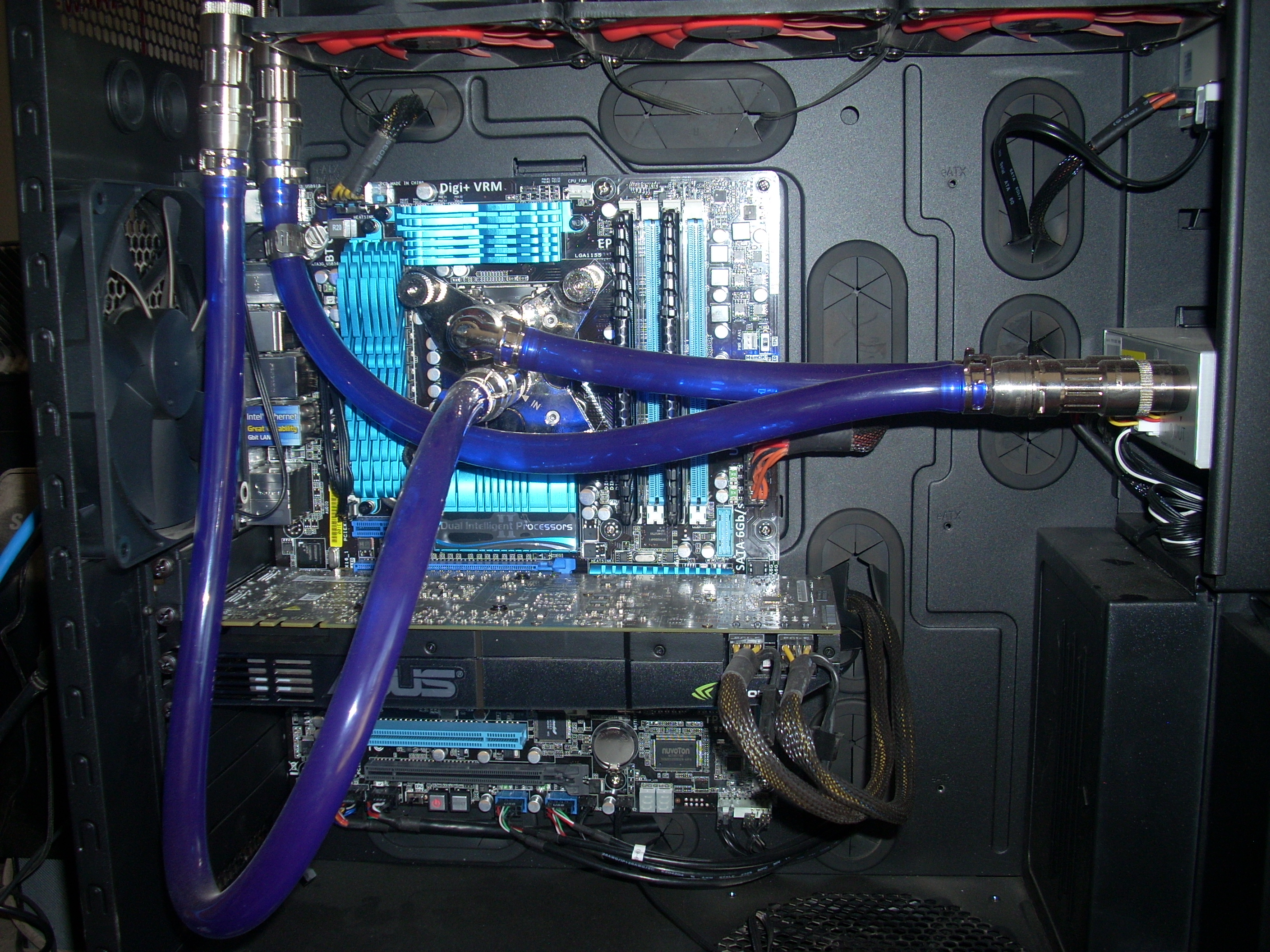
Yeah, I know the loop from the radiator to the waterblock is fubar. I was trying to do a long sweeping bend so it wouldn’t kink with the side on, but that didn’t work, so there’s another 90-degree fitting en route. I’LL MAKE IT PRETTY I SWEAR!
But anyway, the things really do work as advertised. Break the connection, and not a single drop spills.
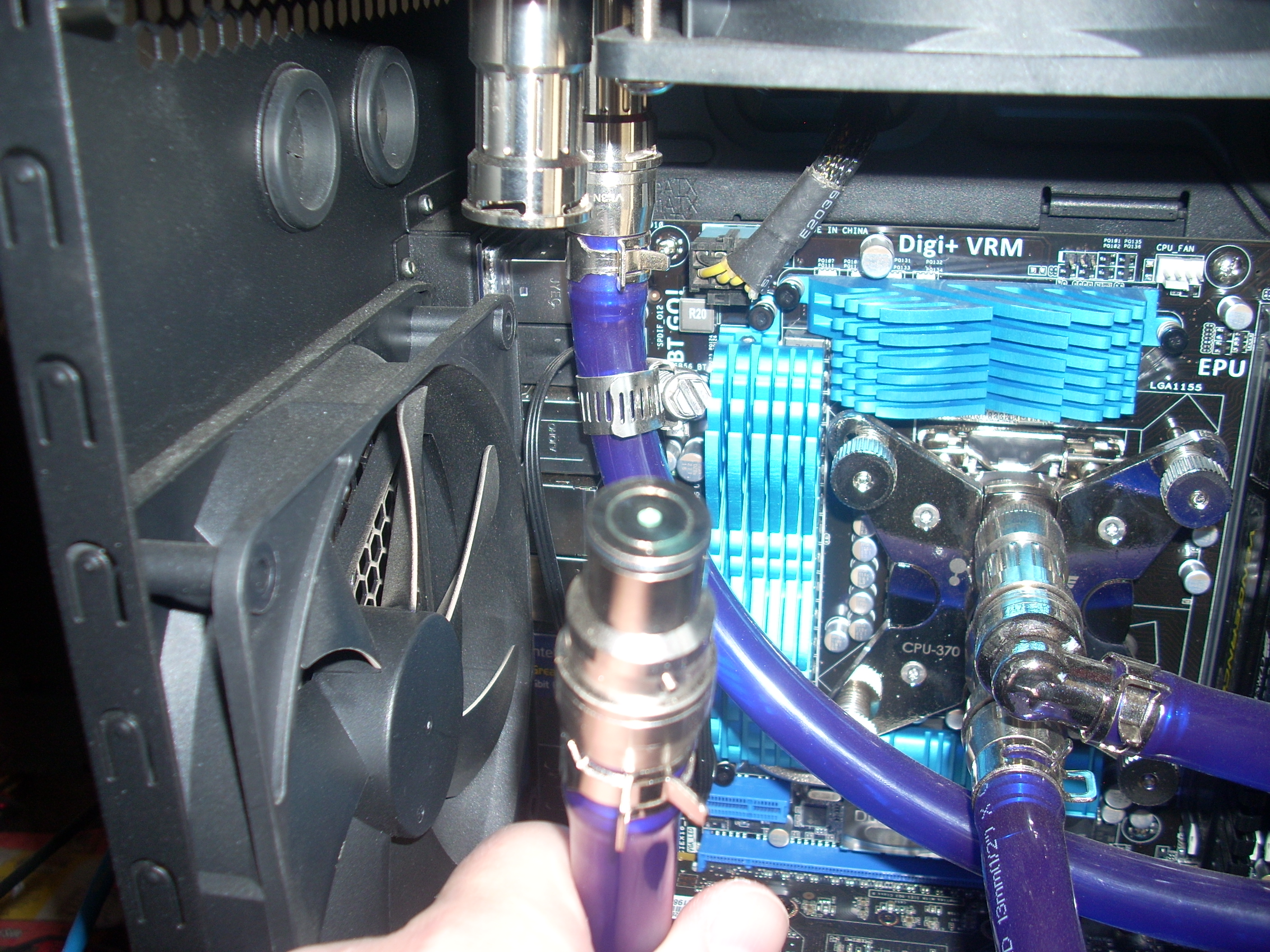
That’s it. It’s barely even wet, and the system is still totally full. This means another cool thing, you can pre-fill a lot of the rig. After roughing hose lengths, I added the fittings to the radiator and plugged in the tubes as appropriate and was able to fill that giant thing all the way, which made bleeding the loop a lot faster and easier.
The clips used to secure the hose on the barb-side of the fitting are really stiff, which is a good thing. Not stiff enough to make you worry about pinching through the hose, but I did have to use a pair of channel-locks to get them on and in place. Once it was seated properly, just looking at it you can tell you’re not going to have to worry about leaks from that point, especially if you got a good square cut on your hose.
The downside to these, obviously, is the price. There’s no getting around that. Consider, however, what your time is worth, and how long you’d have to spend tweaking hose clamps, snipping tiny lengths of Teflon tape, rocking the whole chassis back and forth to get all the air out, and not to mention stuffing paper towels around to run longer leak-tests. Including having to replace two regular barbs with 90-degree barbs, I think I’m maybe $80 in fittings all together, but that they saved me quite literally hours of effort and spilled coolant, they’re worth every cent. Especially when you consider that even though I fucked up the radiator to waterblock line, an error that otherwise would entail draining the whole system to fix, I just disconnect two parts, drain the coolant from that segment of line, fit the proper length hose, and top off the reservoir. I’d call that an improvement.
Koolance Quick-Connect fittings: Nerd Approved.
FTC disclaimer: The FTC can lick my chocolate starfish.

May 16th, 2011 at 3:53 pm
I remember when it was crazy that Pentiums ran so hot you needed to put a heat sink / fan on them.
Why water cooling? I haven’t played much in the way of games in a long time, so it never seemed worth the extreme hassles involved.
May 16th, 2011 at 4:19 pm
It’s good for overclocking, and if you don’t do that, then the lowered thermals tend to extend part life some (but given usual upgrade cycles that’s not really too huge a concern). The main reason in this house, however, is noise. The computer pictured above has some seriously non-trivial horsepower, but you have to have your ear *right next* to it to be able to hear anything from it with pump and fans set to 50%, and for that decibel level, the processor temps remain quite a bit cooler than the stock (and much louder) air driven heatsink.
May 16th, 2011 at 9:11 pm
Do the hoses not impart a lot of stress on the components they’re attached to? Or do they somehow anchor through the board into something metal?
I was looking at the encapsulation units for video cards, and it just seemed likely to put a lot of strain on a car edge connection and a single screw on the L bracket. Not that I’ve ever done PC water cooling, so this is all based entirely on pictures in my head.
May 16th, 2011 at 10:06 pm
They can if you don’t pay attention to the natural coil/curvature/how it was on the spool of the hose, but generally no. There’s a metal backplane behind the CPU to handle the weight etc. from the CPU block, so that weight is spread out over a large enough area it isn’t really a problem (lots of the high-end air coolers use this trick too, ’cause they’re heavy SOBs).
The video card ones, I honestly haven’t played with them since about 2003, when their block was about the same size as the CPU block. The mid-range and up cards that are actually worth water cooling mostly feature a double-slot size now, so you’re spreading that weight over two screws, and if you cheat a little you can use the hoses as a smidge of support as well (at the expense of a bit more strain on whatever is on the next attach point in that chain, probably the CPU).
So to make a long story short (too late!) I’ve never run into any trouble with the blocks or hoses putting un-managable strain onto anything, no.
May 17th, 2011 at 8:15 am
Yup, that’s nerdy all right. “Hey, dood, I run my machine so hard and so fast it needs to be liquid-cooled!” Reminds me of the disputes in the Thirties about liquid-cooled versus air-cooled aero engines. Pratt and Whitney did just fine with air cooling on the Double Wasp. Those effete Europeans, with their Merlins, and DB 601s, were the losers.
May 17th, 2011 at 11:08 am
Those clamps are fail, Stingray.
These work better … and are the choice for properly set up Cornelius Kegs as well:
http://www.kegkits.com/Merchant2/merchant.mvc?Screen=PROD&Product_Code=1099&Category_Code=Tools
You can get Oetiker clamps in all sorts of sizes.
May 17th, 2011 at 12:37 pm
I find that the i7 stock fan, and some 120s on the case, provide more quiet than I need, and are nearly free in comparison.
But it’s good to know that liquid cooling is improving.
(And these days, people get 4+GHz on air..)
May 17th, 2011 at 1:27 pm
Sigivald: On a lark, I plugged the stock i7 fan. Compared to the normal noise, it’s deafening. I didn’t think it’d be such a contrast, but the difference was amazing.
May 17th, 2011 at 3:12 pm
I dunno, I kind of get a kick out of the fact that my gaming rig sounds like a CVN’s flight deck. The big deal for me about liquid cooling would be reducing the amount of dust getting sucked into the case.
May 17th, 2011 at 9:24 pm
I personally find the clamps redundant, but either way those QDs are pretty swell, spendy or not. I still can’t get past 100 bucks for an MCP-35X though… gee whiz.
Jim
May 18th, 2011 at 1:39 pm
Stingray: I can barely hear mine - perhaps my case is better-soundproofed by its nature? It’s one of the giant Antecs with plastic over metal on the sides, built like a tank.
(I’m pretty sure it’s not that I just can’t hear fan noises, because I _can_ hear it. It’s just not very loud.
And failing fans or fast 80mm fans I can hear just fine…)